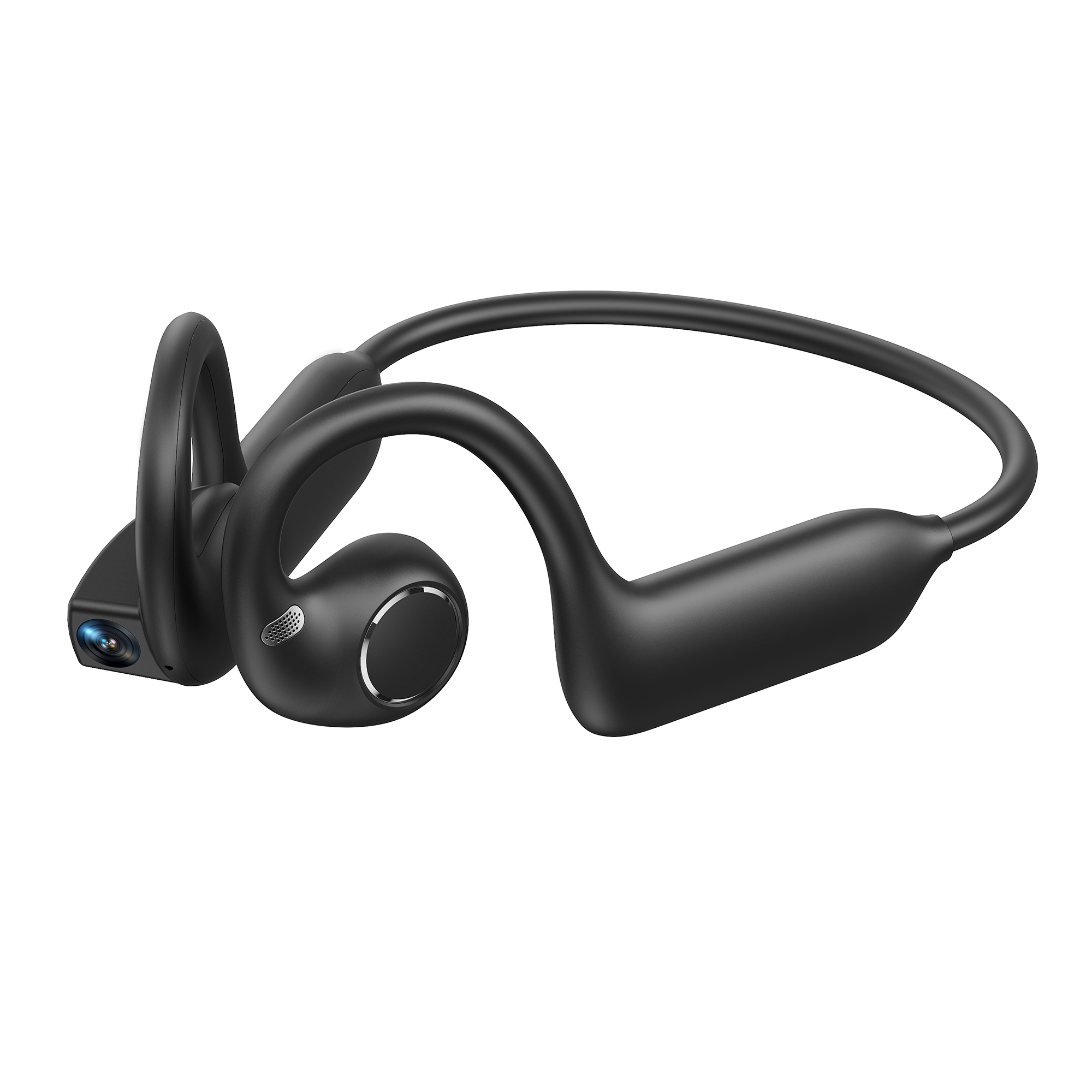
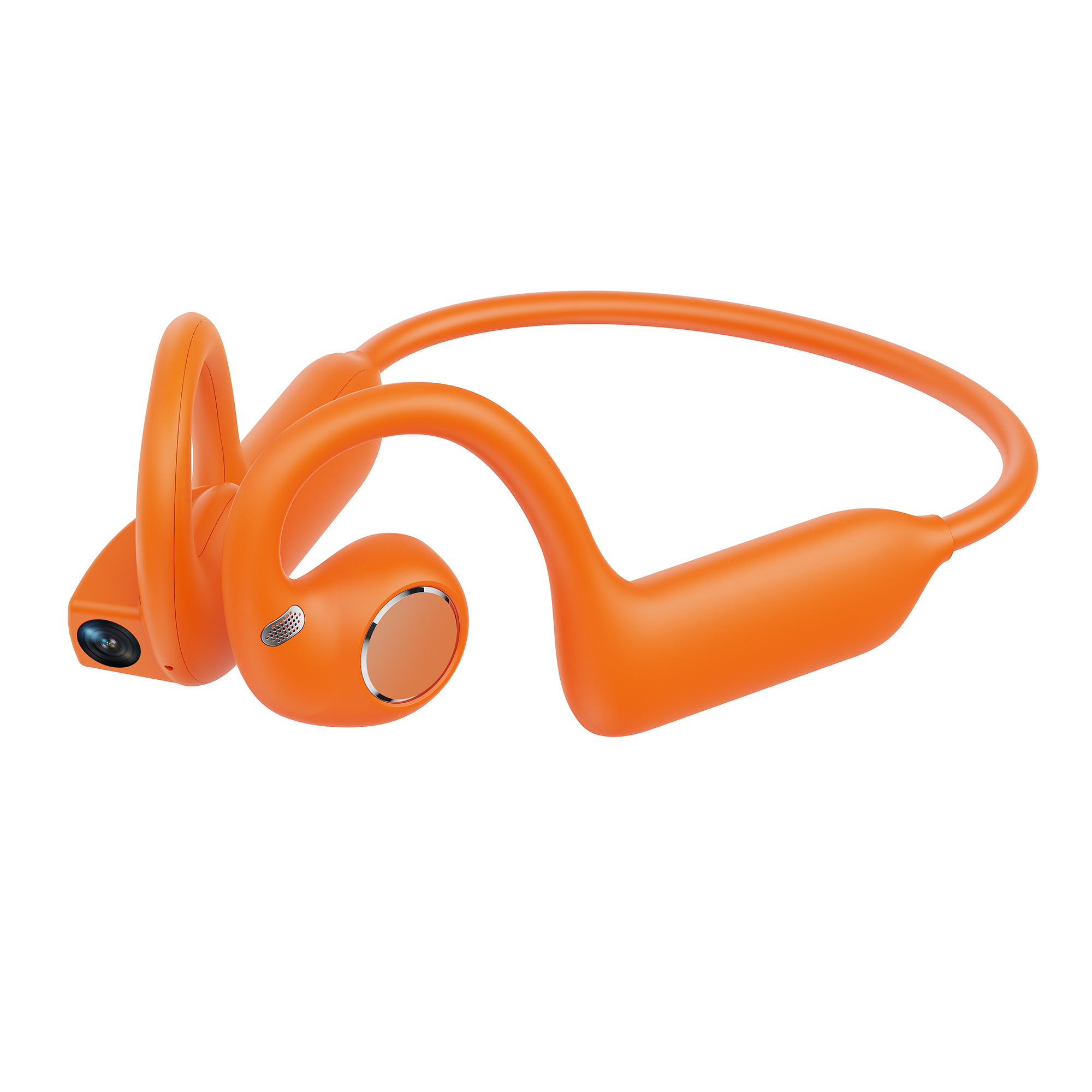
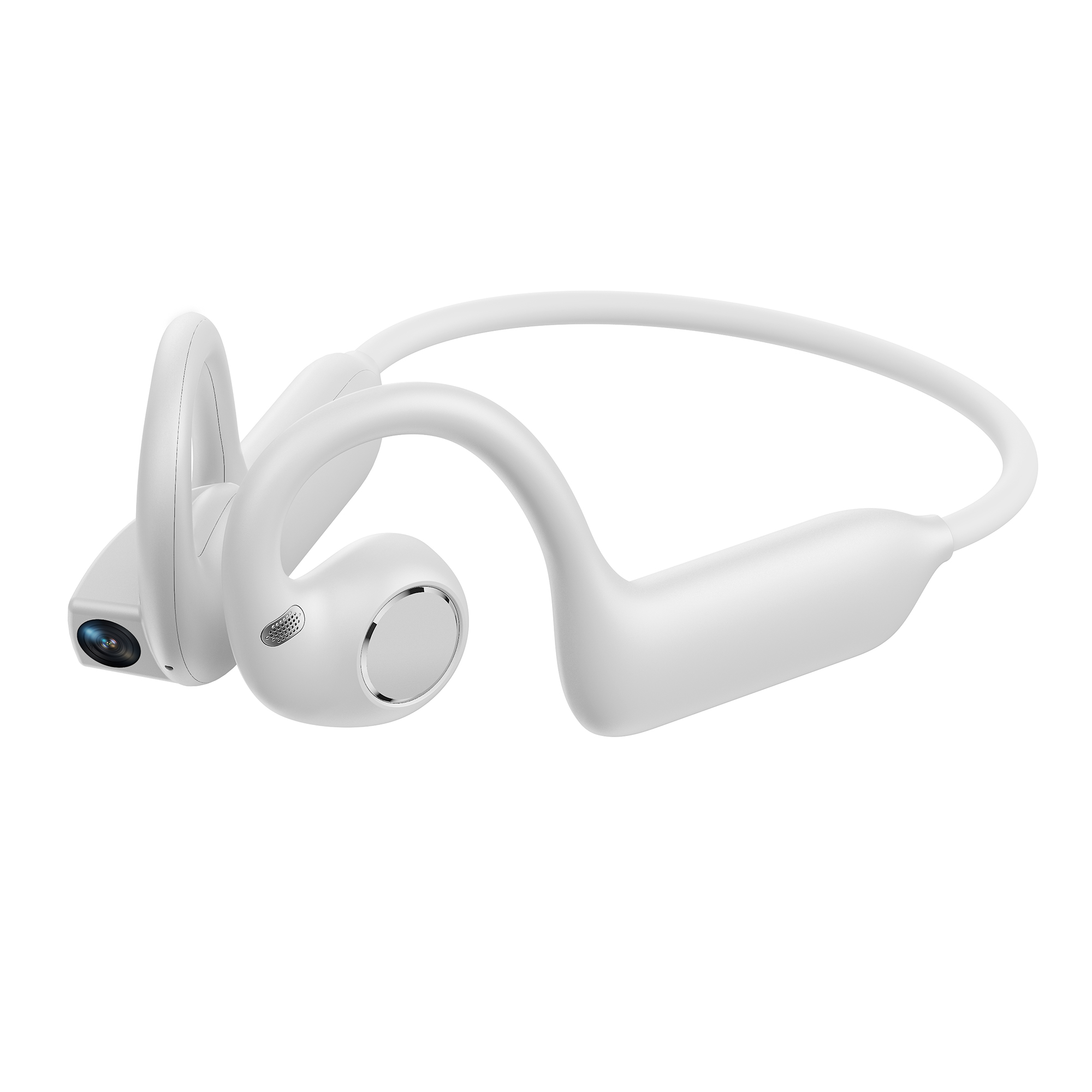
Bone Conduction Headphones with Built-In Camera

EUR €129,00
EUR €179,00
Color
Quantity
  • Secure payments

  • 14-day returns

  • Free worldwide shipping

5 Key Features

AI-Powered Recognition
Recognise objects and surroundings with ease
8MP HD Camera
Capture clear, detailed images
AI Translation
Communicate across languages with ease
EIS Stabilisation
Smooth 1080p video recording
Enhanced Audio Clarity
Rich detail for clearer, more natural sound
AI-Powered Recognition
Recognise objects and surroundings with ease
8MP HD Camera
Capture clear, detailed images
AI Translation
Communicate across languages with ease
EIS Stabilisation
Smooth 1080p video recording
Enhanced Audio Clarity
Rich detail for clearer, more natural sound

Multi-Model AI Technology

Smart AI Camera Earbuds

Recognise | Translate | Record | Call

8MP HD Camera | 1080p EIS Video Stabilisation

EIS Stabilisation for Smoother Video

Made for Every Move
1 Tap – Photo
2 Taps – Video
3 Taps – Audio Recording

See the Action from Your Perspective
Capture Every Move in Clear Detail
Hands-Free Moments, Effortlessly Captured
Save Every Smile, Laugh and Memory with a Tap
See the Action from Your Perspective
Capture Every Move in Clear Detail
Hands-Free Moments, Effortlessly Captured
Save Every Smile, Laugh and Memory with a Tap

Crystal-Clear Calls, Wherever You Go

Enjoy Your Music Anytime

Stay Connected with Friends and Family Wherever You Are

Comfortable Open-Ear Listening

Every Detail, Clearly Heard

Dynamic Spatial Audio for a More Immersive Listening Experience

Secure Fit, All-Day Comfort

Move Freely, Stay Focused

Designed to sit comfortably and securely around your ears, helping the earbuds stay in place even during more active movement. Enjoy immersive sound wherever your day takes you.

AI-Powered Object Recognition

Discover More About the World Around You

Powered by advanced AI technology, your smart camera earbuds can recognise text, images and everyday objects in seconds. Get useful information and clear explanations to make learning, work and everyday life easier.

Simply Say: “Hi Luma, Explore the World”

Ask a question and start interacting with your AI assistant. Whether you want to identify something in front of you or learn more about your surroundings, Luma is ready to help.

Break Language Barriers with AI

Conversation Translation
Photo Translation
Conversation Translation
Photo Translation

Available Colours

  • Black
  • Orange
  • White

Storage: 8GB
Camera: 8MP HD Camera
Video Resolution: 1080p at 30fps
Maximum Video Recording Time: 10 Minutes
Continuous Call Time: Up to 10 Hours
Music Playback: Up to 10 Hours
Standby Time: Up to 120 Hours
Wireless Connectivity: Dual-Band Wi-Fi 6
Photo Resolution: Up to 32MP
Photo Transfer: Wi-Fi Transfer
Battery Capacity: 220mAh

FAQ
1. What can the AI Smart Camera Earbuds do?

They combine open-ear audio, an 8MP camera, 1080p video recording, voice recording, AI assistance, visual recognition, translation, calls and music playback in one wearable device. Additional AI features are available through the companion app.

2. What camera does the product use?
The earbuds feature a Sony IMX219 8MP camera, designed for everyday photography and video capture.
3. What video quality is supported?

The camera supports 1080p video recording with software-based EIS stabilisation to help reduce visible shake during movement.

4. Can I choose the video recording length?

Yes. In the app, you can select recording durations of:

  • 1 minute
  • 3 minutes
  • 5 minutes
  • 7 minutes
  • 10 minutes

Recordings are automatically saved when the selected duration is reached.

5. How much built-in storage is available?

The device includes 8GB of built-in storage and supports expandable storage configurations.

6. How are photos, videos and recordings transferred to my phone?
Media files can be synchronised and transferred to the companion app via Wi-Fi.
7. Can I take photos or record without a phone connection?

The first-time setup requires connection to the app.

Once the device has been paired, photos, videos and audio recordings can still be captured while temporarily disconnected. Files can then be synchronised when the device reconnects to the app.

8. How do I take a photo?

Simply press the physical button once.

The white capture indicator flashes once when a photo is taken.

9. How do I start and stop video recording?

Double-press the physical button to start recording.

Press the button once again to stop and save the video.

10. How do I record audio?

Triple-press the physical button to start an audio recording.

Press once to stop and save the recording.

11. Is there a visible indicator when the camera or recorder is in use?

Yes. The device includes dedicated status and privacy indicators:

  • Photo: white light flashes once
  • Audio recording: white privacy light pulses and the green status light flashes
  • Video recording: white privacy light pulses and the status light flashes

This helps make active recording more visible to people nearby.

12. What happens when the battery is low?

When battery level drops below 10%, video and audio recording are disabled to help ensure files can be saved correctly.

At approximately 5%, a low-battery warning is provided.

At 0%, the device automatically switches off.

13. What is the battery capacity?

The earbuds use a 220mAh rechargeable battery.

Actual battery life varies depending on volume, camera use, AI features, Wi-Fi activity and other usage conditions.

14. How do I charge the earbuds?

The device uses a convenient dual-pin magnetic charging connection.

The red indicator remains illuminated while charging and switches off once charging is complete.

15. How do I switch the device on, off or restart it?
  • Press and hold for 3 seconds: Power on
  • Press and hold for 5 seconds: Power off
  • Press and hold for 10 seconds: Force restart
16. Does the device switch off automatically?

Yes.

If the device has never been connected to the app, it will automatically switch off after approximately 3 minutes of inactivity.

After a previous Bluetooth connection is lost, it will automatically power off if it does not reconnect within approximately 2 minutes.

17. How do I know whether the earbuds are connected?

When disconnected, the blue status light flashes.

Once connected, the blue light stops flashing.

When powering off, the red indicator flashes twice.

18. Can I control music directly from the earbuds?

Yes. The touch-sensitive control area allows you to manage everyday playback without reaching for your phone.

Supported controls include:

  • Play / pause
  • Previous / next track
  • Volume up
  • Volume down
19. How do I adjust the volume?

Swipe forward on the touch area to increase the volume.

Swipe backwards to decrease the volume.

An audio prompt is played when the maximum volume is reached.

20. Do the earbuds support wear detection?

Yes. Built-in wear detection recognises when the device is being worn, helping provide a more natural everyday user experience.

21. What audio hardware is built in?

The earbuds feature a 16mm Hi-Fi speaker and a three-microphone array for music, calls, voice recording and AI interaction.

The open-ear design also allows you to remain more aware of your surroundings while listening.

22. How do I activate the AI assistant?

When connected to the companion app, simply say:

“Hi Luma”

You can then use supported voice commands, AI questions and visual recognition features.

23. What can the AI assistant help with?

Depending on the app and available AI services, you can ask everyday questions such as:

  • What is the weather today?
  • What time is it?
  • Tell me about this bottle of wine.
  • What object is in front of me?
  • What type of car is this?
  • Tell me more about what I am looking at.

AI responses may vary depending on connectivity, image quality and the AI service being used.

24. Does it support AI visual recognition?

Yes. Using the built-in camera and companion app, AI can analyse captured content and provide information about text, images and everyday objects.

Recognition accuracy may vary depending on lighting, viewing angle, network connection and the selected AI service.

25. Does it support AI translation?

Yes. The product supports conversation translation and simultaneous interpretation through the companion app, making it easier to communicate across languages while travelling, working or meeting new people.

Available languages may vary by app version and region.

26. Can it help with meetings and voice notes?

Yes. Recording and AI-assisted features can help capture spoken content and support meeting notes, summaries and everyday voice memos, depending on the features available in the app.

27. Which AI models are supported?

Depending on the app version, region and service configuration, the product can work with AI services including Qwen and OpenAI-powered models.

Available models and functions may change as the software is updated.

28. Which voice languages are supported?

Standard voice detection currently supports English and Chinese.

Additional AI and translation languages may be available through the companion app.

29. Does the product support OTA updates?

Yes. Firmware can be updated through the app when the battery level is 10% or higher.

For a smoother update, we recommend keeping the device sufficiently charged and connected to a stable network.

30. What should I know when using the camera or recording functions?

When taking photos, recording video or capturing audio in public, always respect the privacy of others and follow applicable local laws and regulations.

The device includes visible recording indicators to make active capture more transparent.

Cart

loading